Role
Product designer who ships
Audit to production code
Timeline
2025 to 2026
Featured case: Mar to Jul 2026
Team
Design system committee
Designers and engineers
Platforms
Web, iOS, Android
Before · FloatingPanel, anything goes
Move money
Deposit
From a linked bank
Withdraw
To a linked bank
Transfer
Between M1 accounts
More options ▾
Split by behavior
Menu · one type of item
Download CSV
Download PDF
Share
Delete
Popover · mixed content
Move money
Deposit
Transfer
Role
Product designer who ships
Audit to production code
Timeline
2025 to 2026
Featured case: Mar to Jul 2026
Team
Design system committee
Designers and engineers
Platforms
Web, iOS, Android
Closing the gap between Figma and code
Liquid's components looked one way in Figma and behaved differently in code, and on every client. I owned components end to end, from audit to production code. The clearest example: I replaced a rules-free container with two accessible components, Menu and Popover, built them myself and swapped every web instance in one release.
18 → 35
Hardened components, mid-March to end of Q3
−90
Net lines of code: 940 removed, 850 added, 19 files
1 day
From merge to production, then adopted by M1's AI advisor
01. Why Liquid needed hardening
Teams had built independently, so the same component existed several ways across web, iOS and Android, with no owner and no single answer. The Figma-to-code gap was the top pain point in our committee survey, so the goal for 2025 and 2026 was to harden one to two components a month on every client.
Our definition of done
Design matches code on every client, and it's implemented across the product. A new version alone isn't enough.
Hardened components in Liquid
Mid-March 2026
4 in progress, 16 outstanding
18
End of Q3 2026
The last five are planned for Q4
35
Components I owned end to end: Menu and Popover, Links, Group radio option, App bar, and Avatar and pie slice image.
02. How we hardened a component
The same four steps every time, so any designer or front-end engineer could own a component.
01
Audit
Find every instance and document the gaps per client.
On Menu and Popover
Mapped every usage with Claude and reviewed scope with the team.
02
Requirements
Must-dos to align Figma and code, plus optional design changes.
On Menu and Popover
Wrote the usage rule and documented both components.
03
Build
Figma, code, design QA and a testing party, then merge the library.
On Menu and Popover
Built both, replaced every web instance, merged the library.
04
Share the win
Announce what changed so teams use it.
On Menu and Popover
Posted to the committee and was recognized at the next meeting.
Case study · Replacing FloatingPanel with Menu and Popover
03. The problem: a container with no rules
FloatingPanel let anything go inside, and every client built it differently. The result: uneven scrolling, layering bugs, no accessibility story, and a pattern spreading into places it didn't belong.
Before · the Move Money menu
Move money
Deposit
From a linked bank
Withdraw
To a linked bank
Transfer
Between M1 accounts
More options ▾
A notification inside what claims to be a menu
Items with descriptions and status, more than an action
A button that reveals more items in place
The audit
Map the usage. I used Claude to find every panel in the code and flag the snowflakes.
Document the gaps. Tracked separately for web, iOS and Android.
Decide together. The committee set scope as a group, which made adoption easier later.
04. Split by behavior, not by looks
The rule I wrote for the team
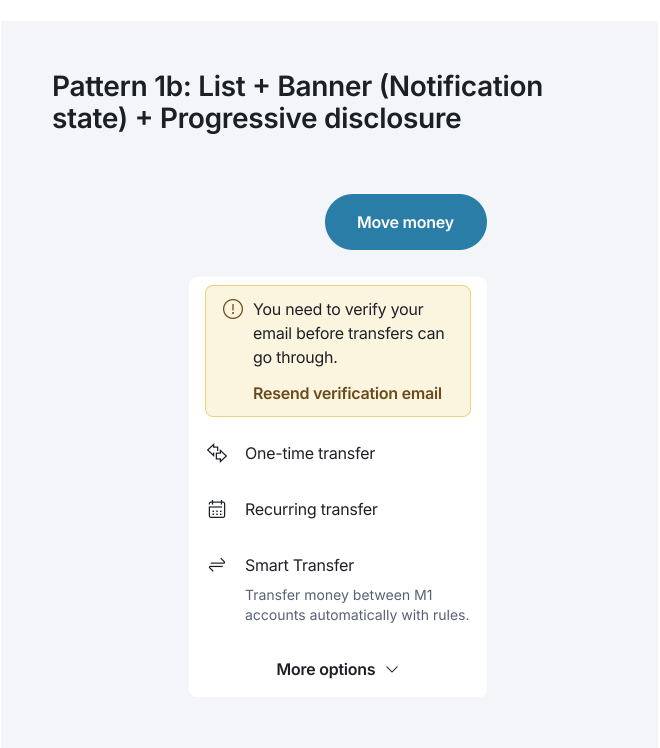
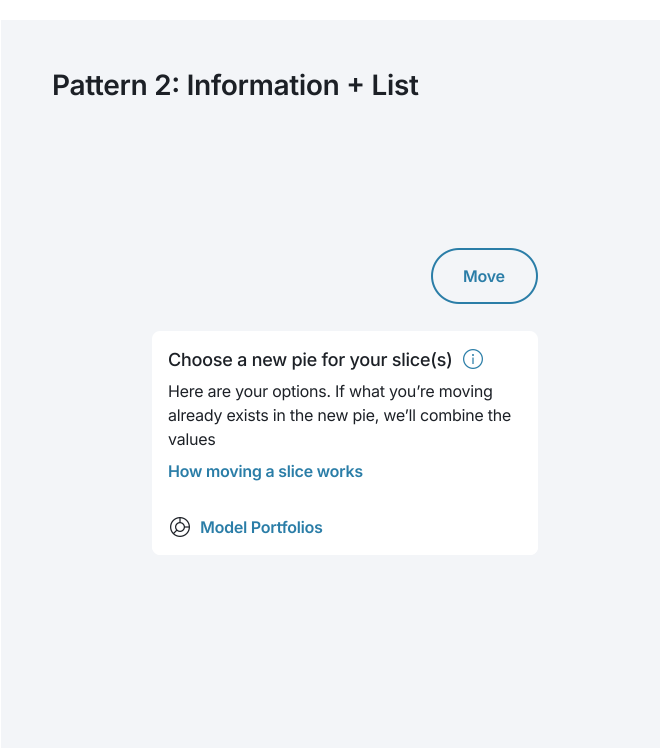
If every item is the same type of thing, use a Menu. If it holds more than one type of thing, use a Popover.
Menu
Popover
Content
Menu
One type of item
Popover
Mixed: list, banner, button, information
Keyboard
Menu
Arrow keys; closes on choose
Popover
Tab; closes on Escape, outside click or ×
Screen reader
Menu
Announced as a menu
Popover
Announced as a dialog
On mobile
Menu
Action sheet (iOS), dropdown (Android)
Popover
Bottom sheet
A menu and a dialog are announced differently, so one container with variants couldn't be accessible for both. That's why it's two components.
Try it · Menu and Popover, live
Menu
Every item is the same type of thing
Keyboard: ↑ ↓ move between items · Enter chooses and closes · Esc closes
Screen reader: Open it with a click, or focus it and press ↓.
Popover
More than one type of thing inside
Keyboard: Tab moves through the content · Esc, outside click or × closes · page keeps scrolling
Screen reader: Open it, then Tab through the content.
Move money
05. Designing the rules
I treated the docs as part of the product: anatomy, composition patterns, do and don't, accessibility and specs, shared early for async feedback.
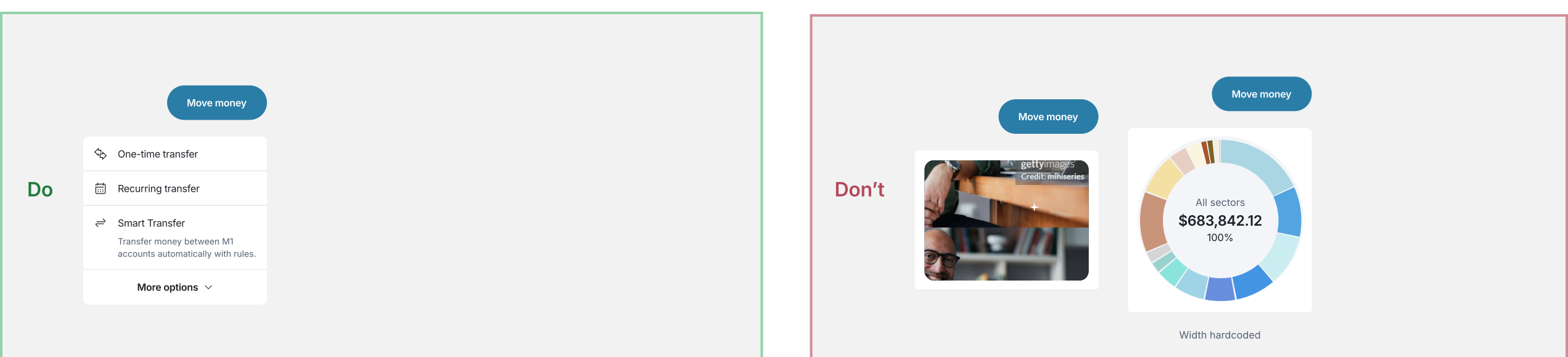
Constrained composition. Only named parts and approved Liquid components go inside.
Accessibility built in. Engineers don't override focus or keyboard behavior.
Rules with numbers. Eight items max without grouping, destructive actions last, labels of one to three words.
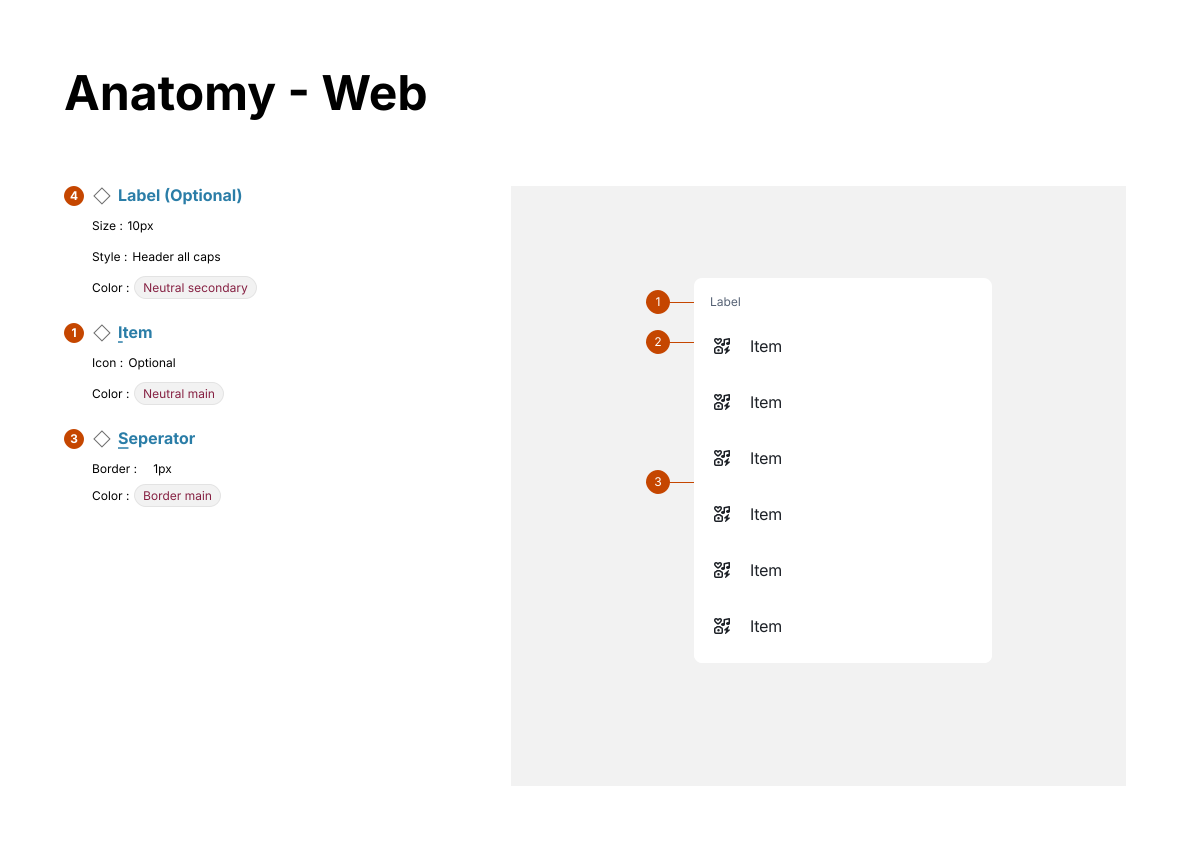
Menu · Anatomy
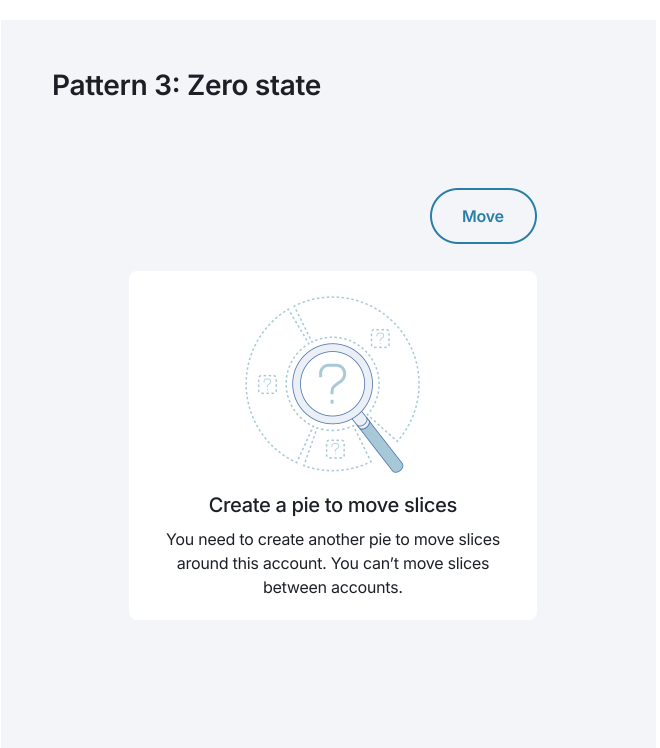
Popover · Composition patterns
Menu · Do and don't
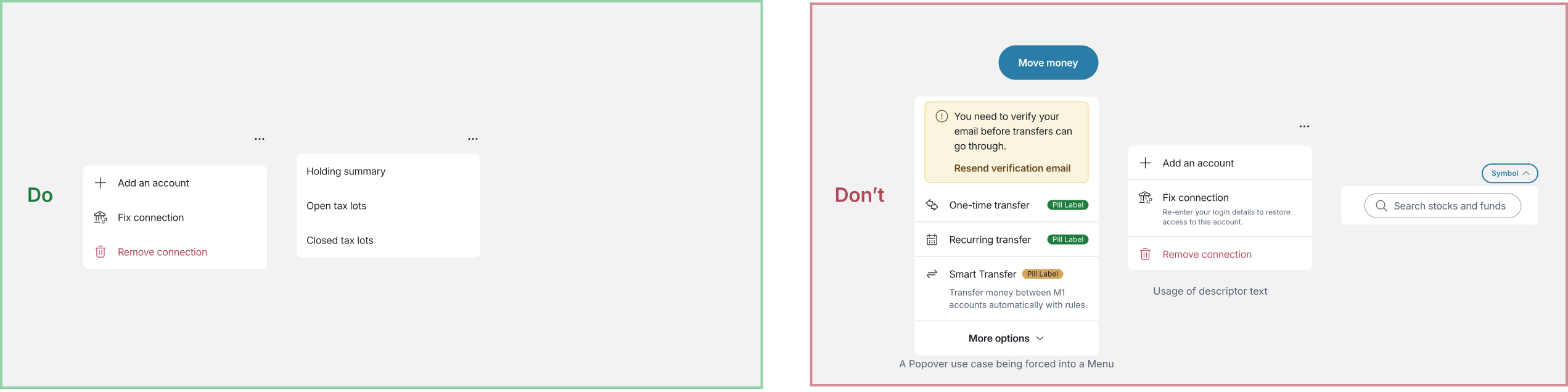
The Don't is the old Move Money panel, kept on purpose as the clearest example of what a Menu is not.
Popover · Do and don't
Menu · Accessibility
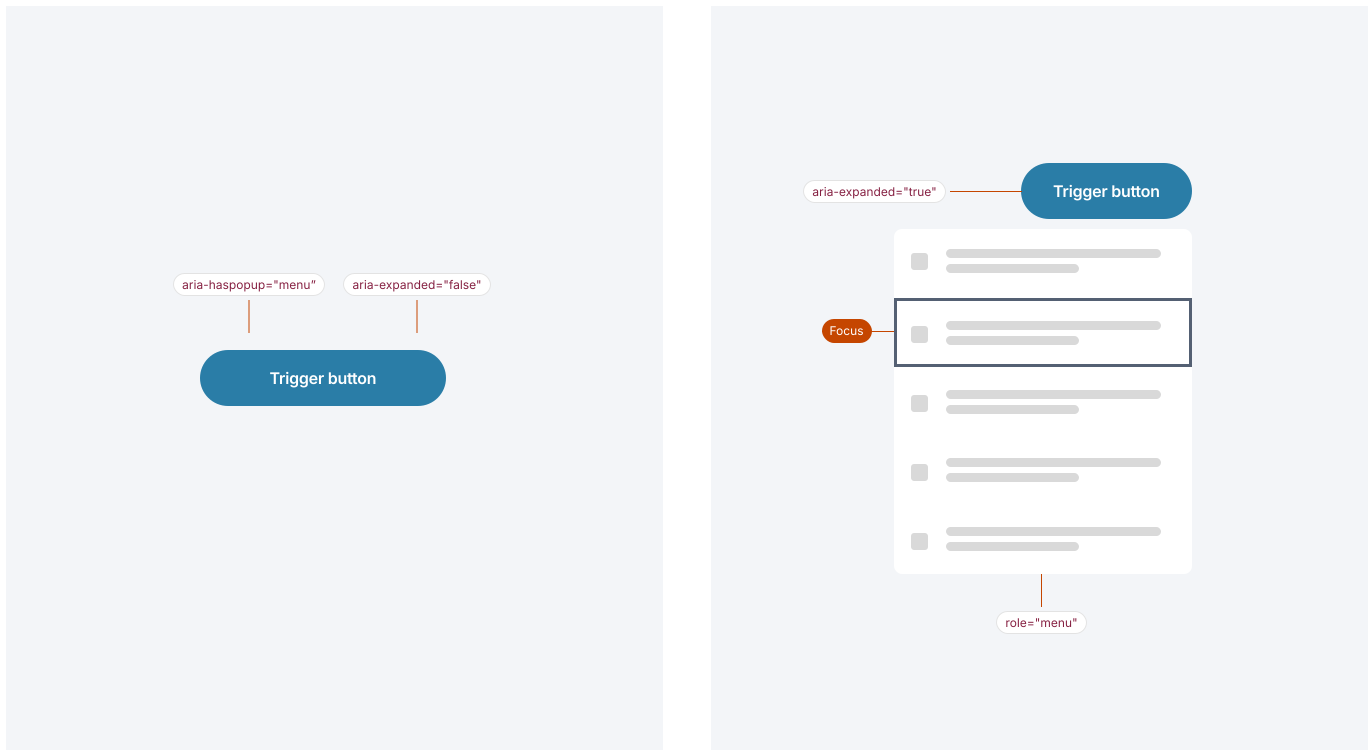
The critical difference from Popover: role="menu" versus role="dialog". The primitive handles it, so engineers don't add ARIA by hand.
06. Build, ship and roll out
Done meant shipped, so I didn't hand off the spec. I built both components in Liquid's React library and worked the same workflow as engineering.
Code review. Pull requests reviewed and approved by engineers.
Tested before release. Alpha builds, previews, automated tests and every affected screen.
Versioned releases. Follow-ups fixed panels under dialogs and a dark-mode mismatch.
One rollout. Every web instance replaced in a single pull request, with before-and-after screenshots.
In the product · Popover
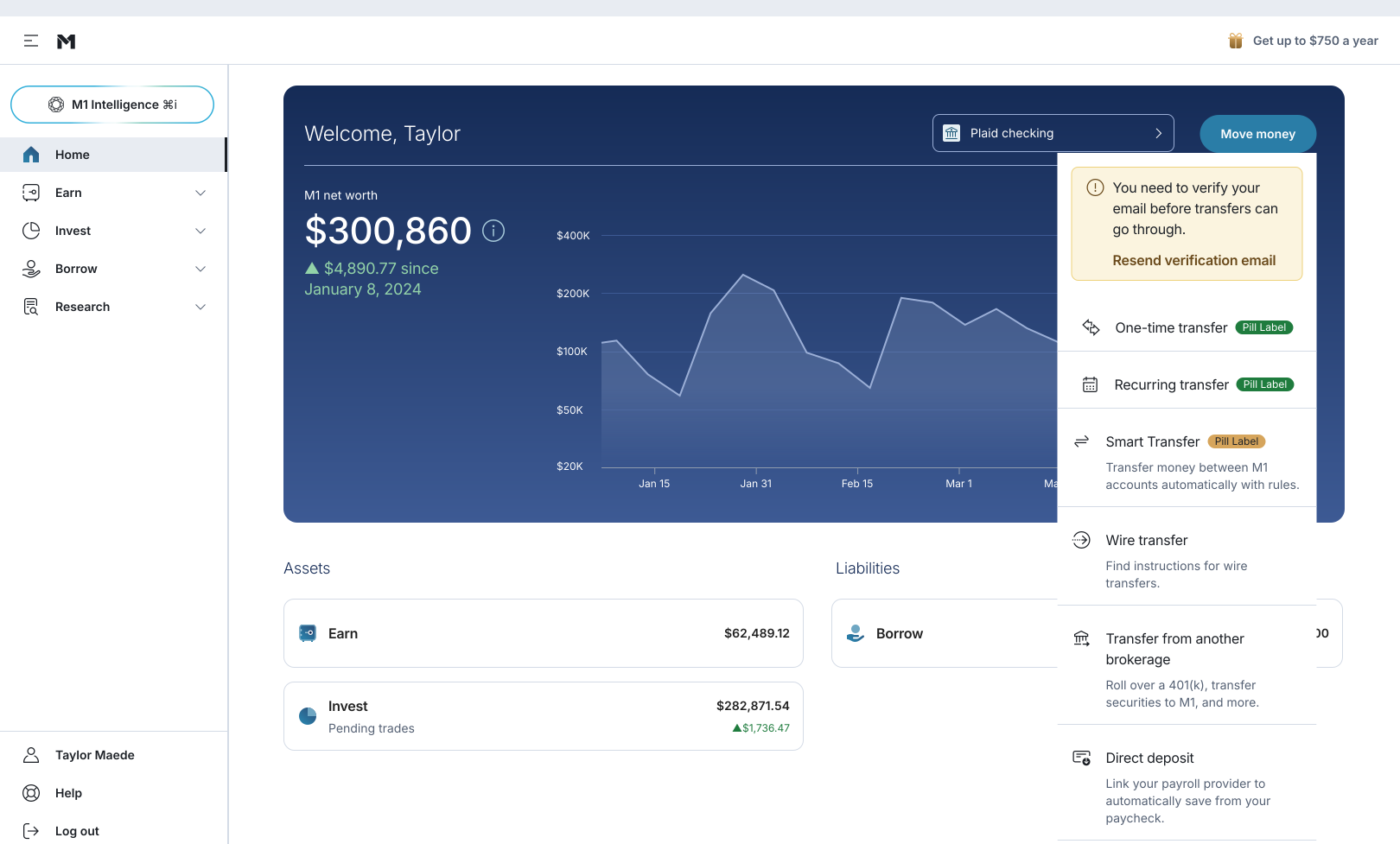
In the product · Menu
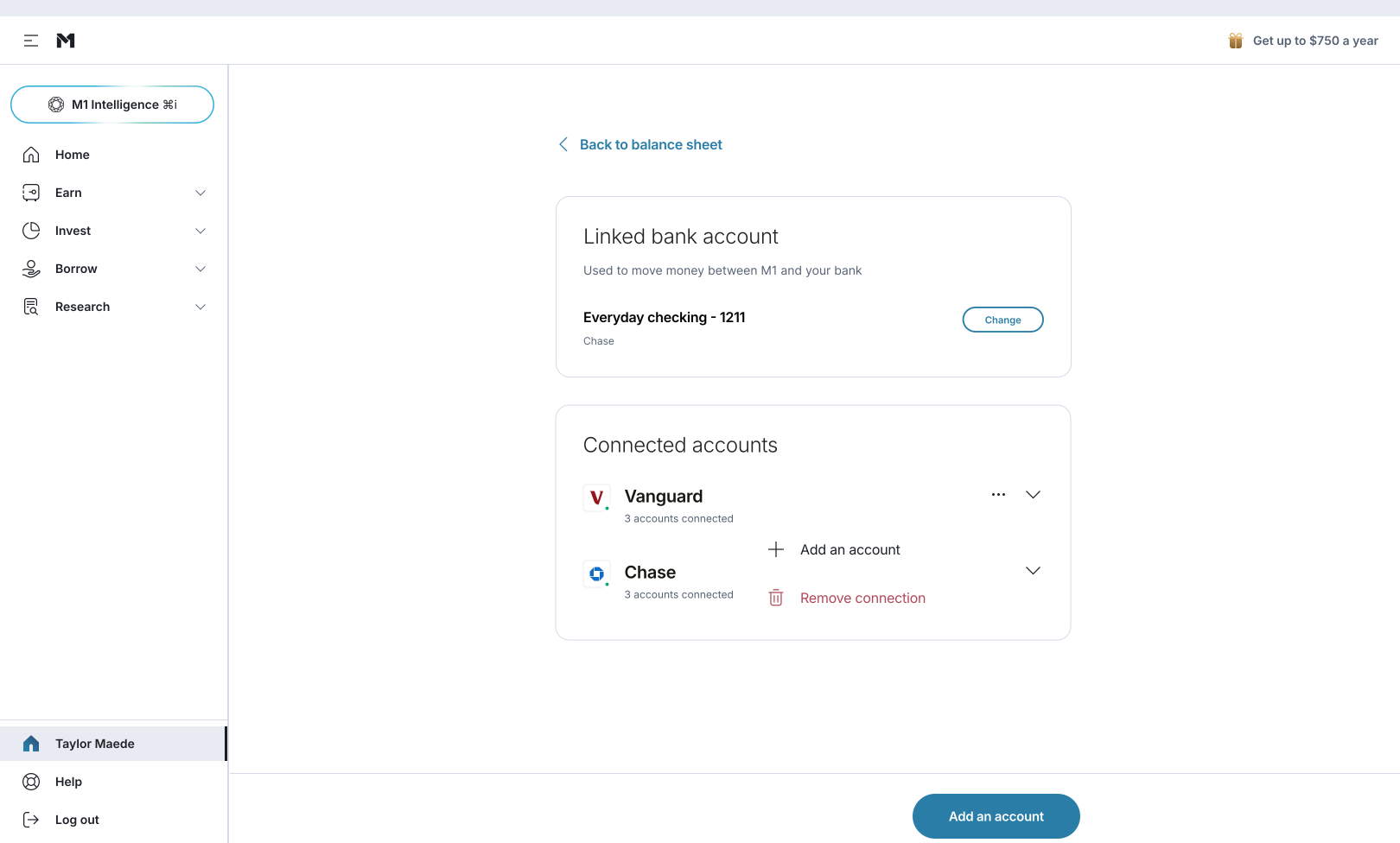
Review made it better
A hidden default. A built-in minimum width would have widened two panels, so I set explicit widths.
Simpler triggers. Call sites now use the standard Button instead of custom styling.
Changes flagged openly. When I moved a Reset action, I explained why and offered to move it back.
07. Results
Shipped June 30, 2026. The first component hardened in Q3, recognized at the next committee meeting.
Two documented components. Each with a usage rule, accessibility behavior and do and don't guidance.
Design and code agree. The Figma library lists Menu and Popover where FloatingPanel used to be.
Adopted beyond the team. M1's AI advisor uses the Popover for citations on web.
The system nearly done. 35 components hardened by the end of Q3, with the last five planned for Q4.
One tradeoff: Popover doesn't block scrolling, so a panel opened low can drift out of view. The documented answer is a Modal when the page needs to lock.
 Boldin Withdrawal Order →Boldin Withdrawal Order →Boldin Withdrawal Order →Boldin Withdrawal Order →Boldin Withdrawal Order →Boldin Withdrawal Order →Boldin Withdrawal Order →Boldin Withdrawal Order →Boldin Withdrawal Order →Boldin Withdrawal Order →Boldin Withdrawal Order →Boldin Withdrawal Order →