Role
Design Lead
Squad
Consumer D2C
Team
Product Manager, Engineering (FE & BE)
SME (Coach & Advisors), QA
Role
Design Lead
Squad
Consumer D2C
Team
Product Manager, Engineering (FE & BE)
SME (Coach & Advisors), QA
01. The challenge
Withdrawal timing can make or break a retirement plan. Boldin's tools were strong, but users lacked control over how their savings were drawn down. I set out to give them personalized, flexible withdrawal strategies aligned to their goals.
The problem we need to solve
How might we empower users to optimize their withdrawal order — minimizing taxes, extending savings longevity, and building trust in the plan?
Reduce churn &
increase retention
Drive subscription
growth & engagement
Armed with key user insights, I explored multiple design directions — balancing automation, user control, and ease of understanding — to best address user needs.
02. The results: Impact at a glance
The new withdrawal order experience empowered users to personalize how their savings were drawn down—boosting confidence, engagement, and key business metrics in the process.
40%
Plus users engaged with the feature within 30 days
18%
Upgrade rate from Basic users who explored it
10%
Drop in monthly cancellations after launch
03. Persona and identifying user painpoints
Users: Pre-retirees and retirees, often collaborating with advisors, who want transparency and control over their financial futures.
Business goals: Strengthen user confidence, retention, and premium upgrades by improving in-platform decision-making tools.
Key insights from feedback and support channels:
• Users wanted to choose which accounts to withdraw from first.
• Limited control over drawdown strategy reduced trust in the plan.
• Retiring users sought clear, actionable guidance for optimizing withdrawals.

“Not being able to specify funding source is a deal breaker for me..”

“I want to withdraw from my brokerage account first, before starting distributions from my retirement account.”
“Without control over the withdrawal order, it feels like I'm guessing how to manage my savings — I need more guidance and flexibility.”
04. Design concept 1a: Dynamic Solver
Automatically recommends the best withdrawal strategy based on financial goals. Users would be able to select goals like:
• Lowest Lifetime Taxes
• Highest Retirement Chance of Success
• Highest Estate Value
I introduced goal-based optimization, a dynamic system powered by Boldin's Financial Planning Engine (FPE). When a user selects a goal, the engine evaluates multiple withdrawal strategies and recommends the one that best achieves that outcome. This shifts the experience from a one-size-fits-all model to a personalized, data-driven strategy selection.
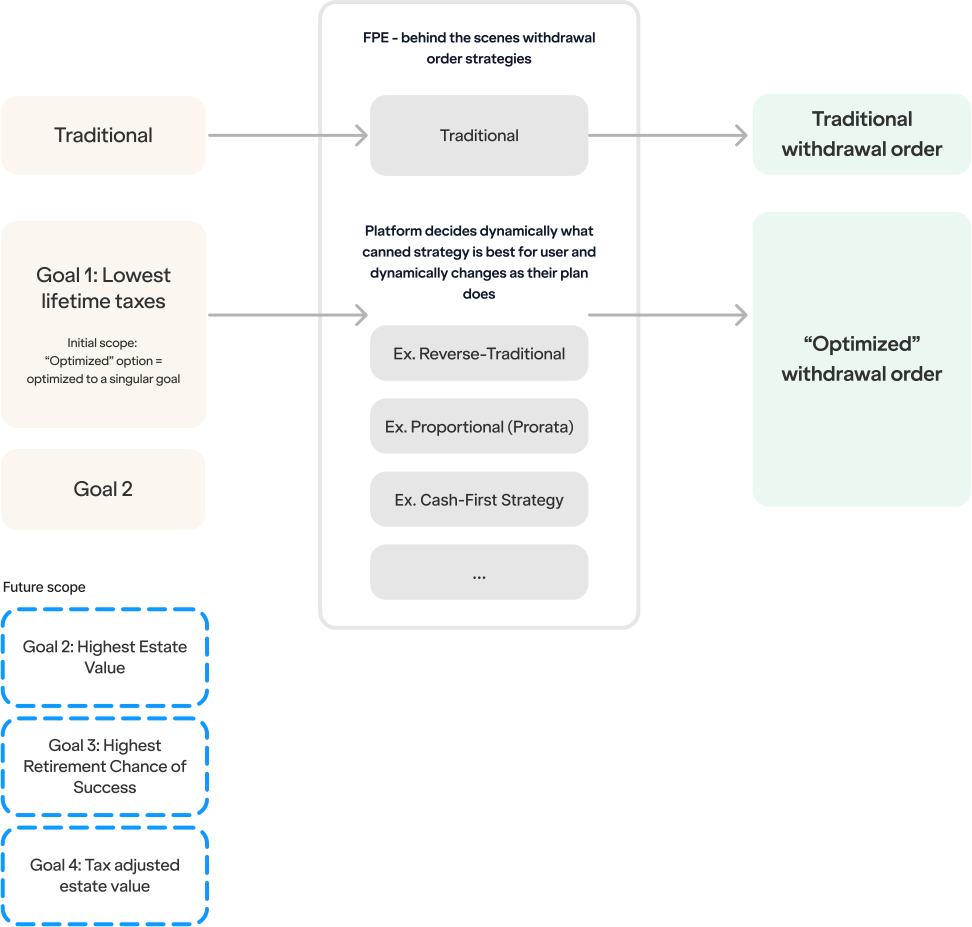
This concept helps users avoid having to pick from technical strategies like proportional, reverse traditional while still offering transparency and control.
04. Design concept 1b: Explorer
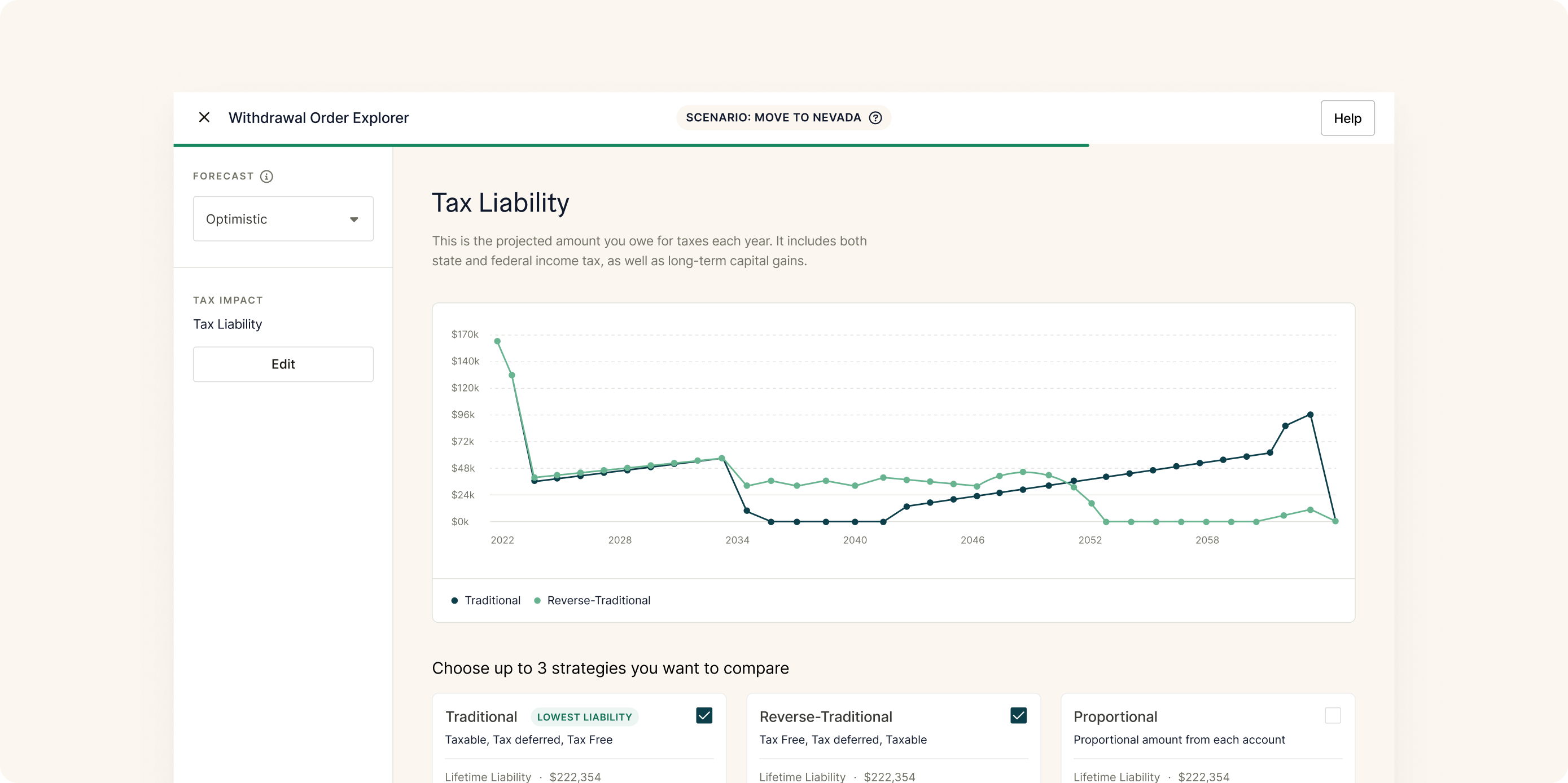
In this iteration, I wanted to explore another key idea — that some users really want to compare different withdrawal strategies side by side to see what actually works best for their goals.
Edit Withdrawal Strategy
Withdrawal Order
Which withdrawal strategy do you prefer?
Recommended
Dynamic Strategy
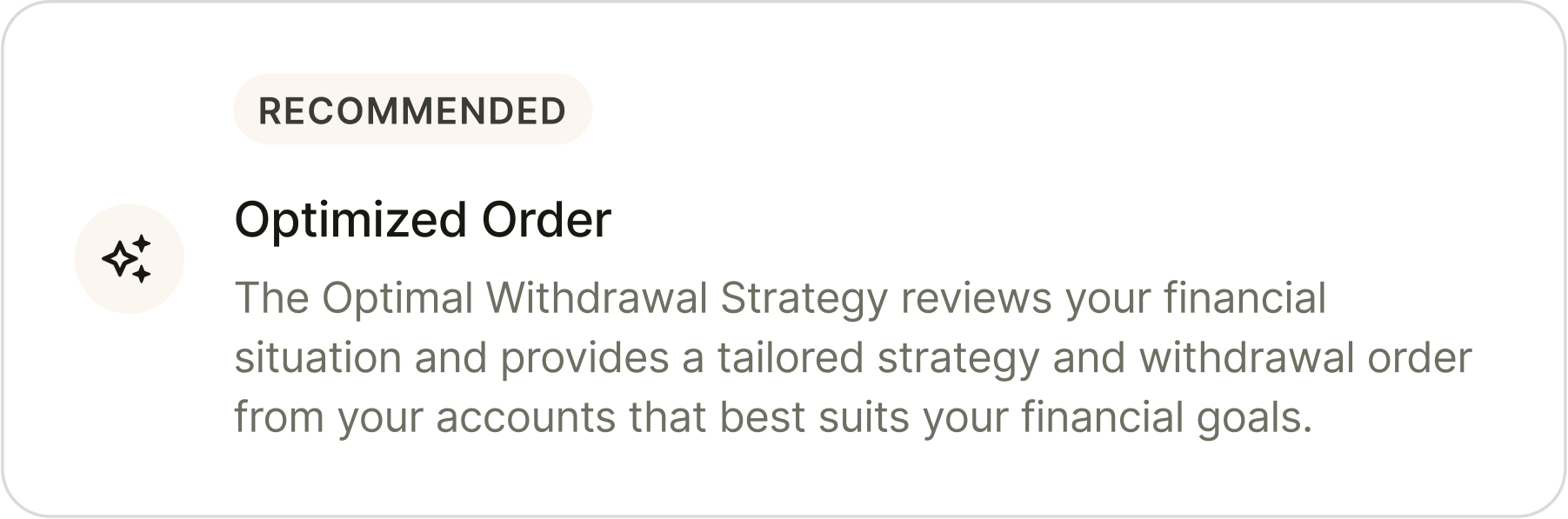
Our “dynamic strategy” feature continuously refreshes your withdrawal order based on information in “My Plan” and makes recommendations based on your financial needs.
Fixed Strategy
We will continue to use the chosen strategy unless you make a change.
Strategy Type
Traditional
▾Don't know which strategy to choose?
Our new comparison tool evaluates strategies based on your financial situation. Discover the pros and cons of each and decide with confidence.
04. Design concept 2: User control
This concept let users manually prioritize and rearrange withdrawal accounts via drag-and-drop. If users understand the value of an optimized withdrawal order, they'll be more likely to upgrade or renew.
Plan Updated
Out of savings 5 year(s) later
$535,101 more in your estate at 93
Pay $93,507 more in your lifetime taxes
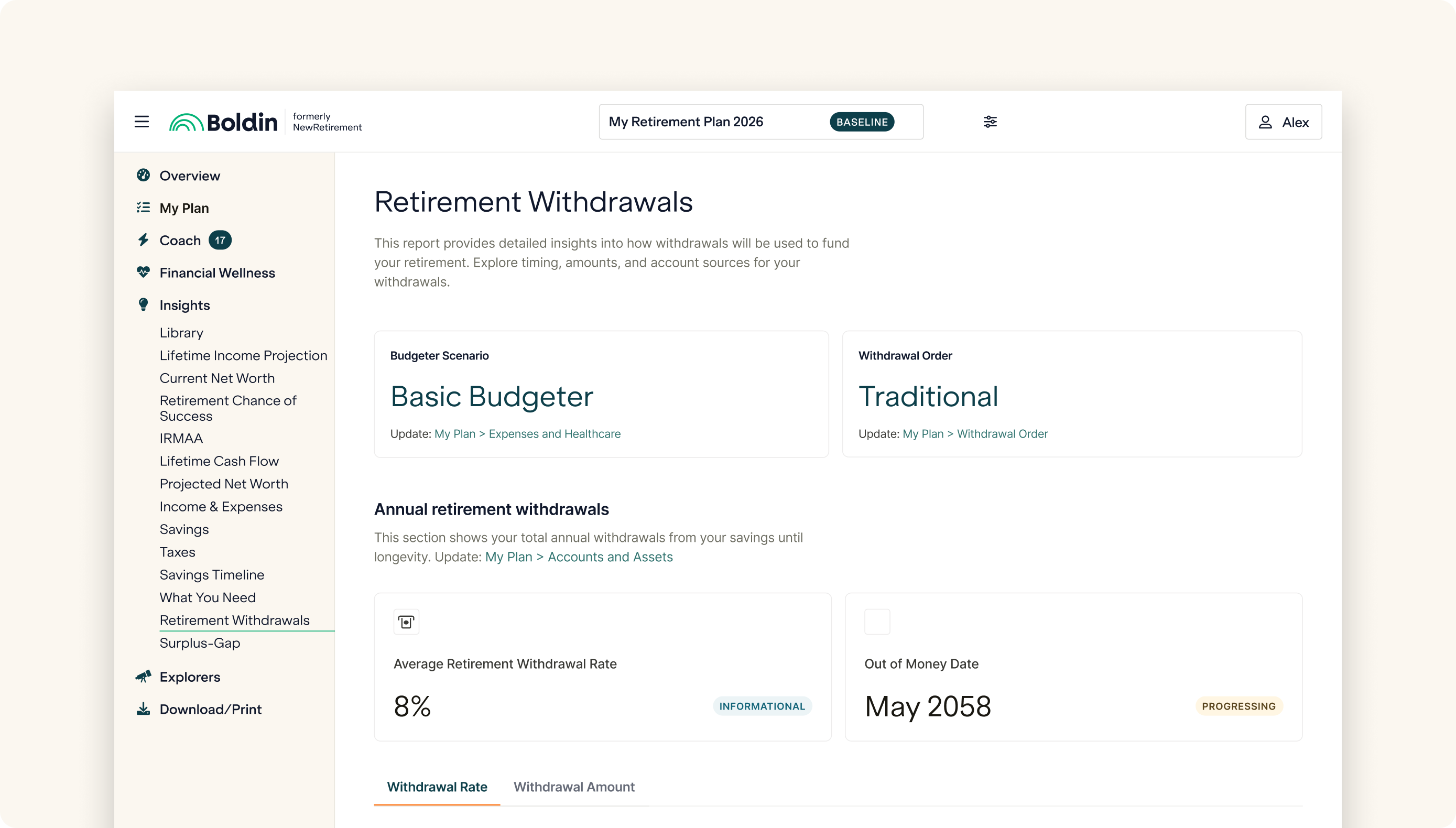
I designed a Withdrawal Insight Report to give users a clear, detailed view of how and when their savings would be drawn down over time. The report shows annual withdrawals, the specific accounts funding expenses each year, and the impact of their chosen withdrawal order. This transparency builds trust in Boldin's recommendations and empowers users and their advisors to make confident, informed retirement decisions.
05. Insights from user testing
The Withdrawal Insight Report tested strongly across all sessions. Participants quickly understood the purpose of the report and appreciated the clarity it provided around their withdrawal timelines and account drawdowns.
Key feedback themes included:
High confidence: Users felt reassured seeing a detailed breakdown of when and from which accounts their withdrawals would happen.
Perceived transparency: The visualizations helped users trust the platform's projections and strategies more fully.
Ease of understanding: Most users could navigate and interpret the report without requiring additional explanation.
Overall, the report reinforced trust, addressed key user pain points around “black box” calculations, and validated the decision to prioritize transparency and education in the withdrawal experience.
06. Final solution
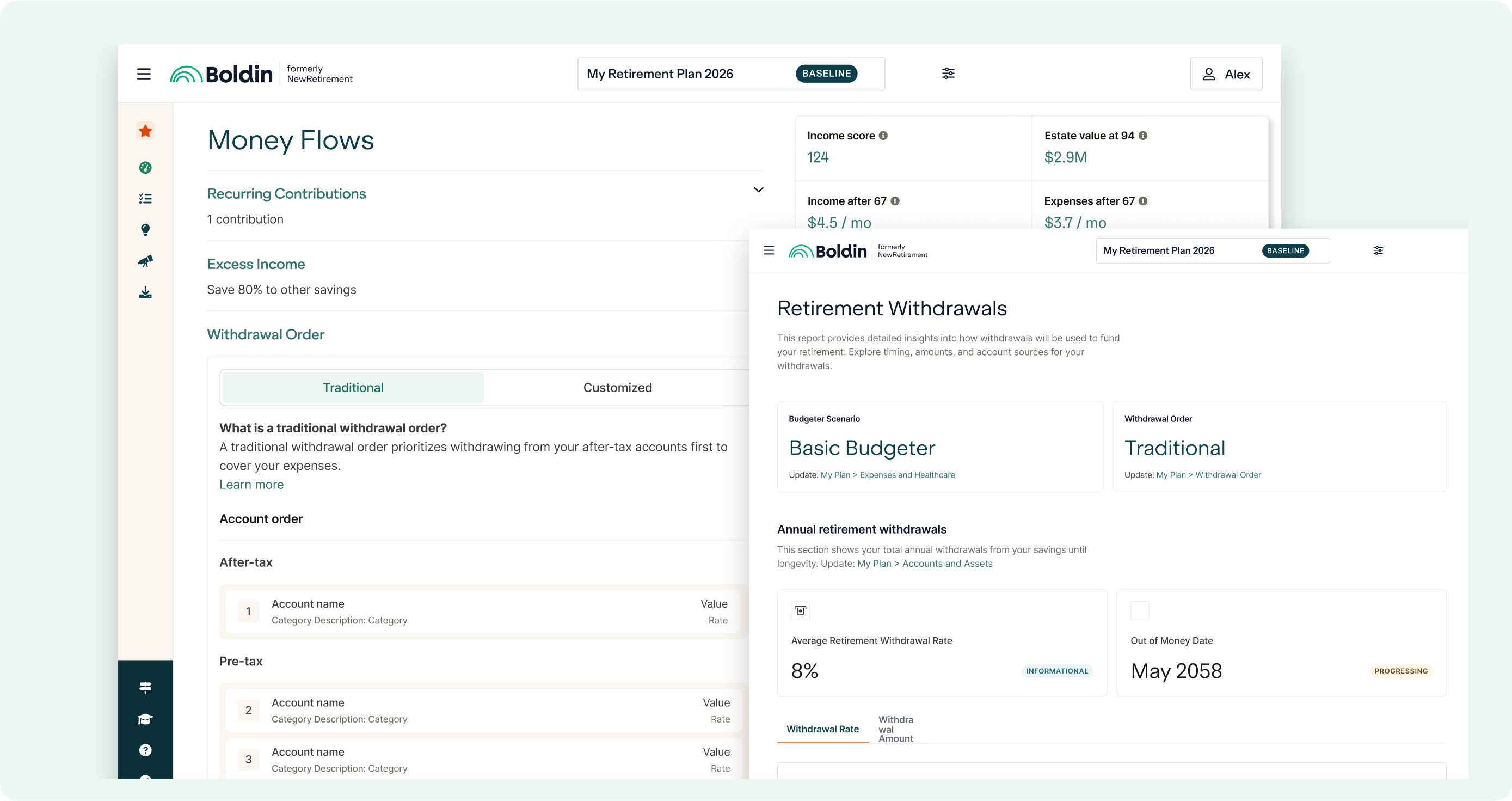
This concept let users manually prioritize and rearrange withdrawal accounts via drag-and-drop. If users understand the value of an optimized withdrawal order, they'll be more likely to upgrade or renew.
 BlockFi Onboarding →BlockFi Onboarding →BlockFi Onboarding →BlockFi Onboarding →BlockFi Onboarding →BlockFi Onboarding →BlockFi Onboarding →BlockFi Onboarding →BlockFi Onboarding →BlockFi Onboarding →BlockFi Onboarding →BlockFi Onboarding →